
Stay oriented
One calm, relevant briefing a week, never a firehose.
See a real week in the demo
.svg)
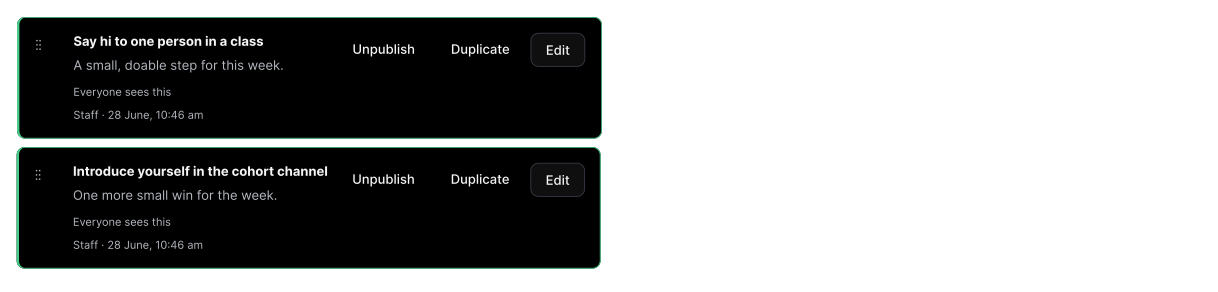
Staff author once, and every student sees the version that is relevant to them.
Replaces the scatter of emails and portals with a single weekly view students actually read.
Everything that matters this week, in one place
Every week, each student gets one briefing built around where they actually are: their course, their campus, and the week of term they are in. There is no firehose of notifications and no digging through five different systems.
It surfaces what matters now. Key dates, what to prepare, where to be, and the one or two things genuinely worth their attention, so nothing important slips past in the noise of first year.
.png)
Why a weekly briefing works
Staff author once, and every student sees the version that is relevant to them.
01
Staff write the week
Your team drafts each week in the console, with content scoped to a cohort, campus or audience group.
02
Students see their version
Each student opens one briefing assembled for their degree, campus and progress, with nothing that does not apply to them.
03
Nothing important slips
Key dates, prep and events sit in priority order, so the things that matter this week are impossible to miss.
04
It travels with them
The briefing is mobile-first, so the week's essentials are in a student's pocket, not buried in an inbox.
See a real week in the demo
Walk through a live weekly briefing the way a first-year student sees it.
What we never do. The line between support and surveillance, drawn clear.
Support means seeing the pattern, not the person. We built the line between helping and watching into the product itself.
Support, not surveillance
Support staff can see individual check-in responses so they can reach out. Access is scoped to your institution and audit-logged.
Logged and reviewable
Every time a staff member opens a student's record, it's written to a tamper-resistant audit log.
Never sold or mined
We do not sell or mine student data. Subprocessors are disclosed, and the data of record is hosted in Australia.
No silent exposure
Small groups are suppressed, so no individual can be singled out from an aggregate.
Plugs into the systems you already run
SSO, roster sync, calendar integration. Your stack stays yours, and your students see only your university.
SSO, no new passwords
Sign in with Microsoft Entra or any OIDC provider (SAML on the roadmap). Students sign in as themselves.
Roster sync keeps cohorts current
Roster import keeps your cohorts current; a direct SIS push endpoint is in early access.
Calendar stays theirs
iCal export to Apple, Google, or Outlook, kept current automatically.
Outbound webhooks
Subscribe your own systems to signed First Six events (request created, crisis, updated, resolved), delivered over HTTPS with an HMAC signature you verify.
Help desk & CRM (email-to-ticket)
When a student asks for help, open a ticket in the help desk your staff already watch (ServiceNow, Salesforce, Jira Service Management, Zendesk), via email-to-case.
Calendar (ICS)
Add events to the calendar students already use.
Student information system
Sync enrolment and audience groups from your student information system. CSV roster import is available today; the direct push endpoint is in early access.
SAML 2.0
Single sign-on via SAML 2.0. In progress.
OpenID Connect (OIDC)
Standards-based single sign-on via OpenID Connect.
Microsoft Entra ID
Single sign-on via Microsoft Entra ID using OIDC.
FAQ
Questions about how First Six works and what it does for your students.
No. Staff write once per cohort, and First Six assembles each student's personalised version automatically from their enrolment, campus and audience groups.
Yes. Any content block can be scoped to an audience group, so a message reaches exactly the students it is meant for and no one else.
Yes. Staff can draft and schedule each week in advance, so the term's briefings are ready before students arrive.
Key dates, what to prepare, where to be, and the one or two things genuinely worth a student's attention that week, in priority order.
No. It sits on top, pulling the things that matter into one calm view so they do not get lost in the volume.