Cohort insights
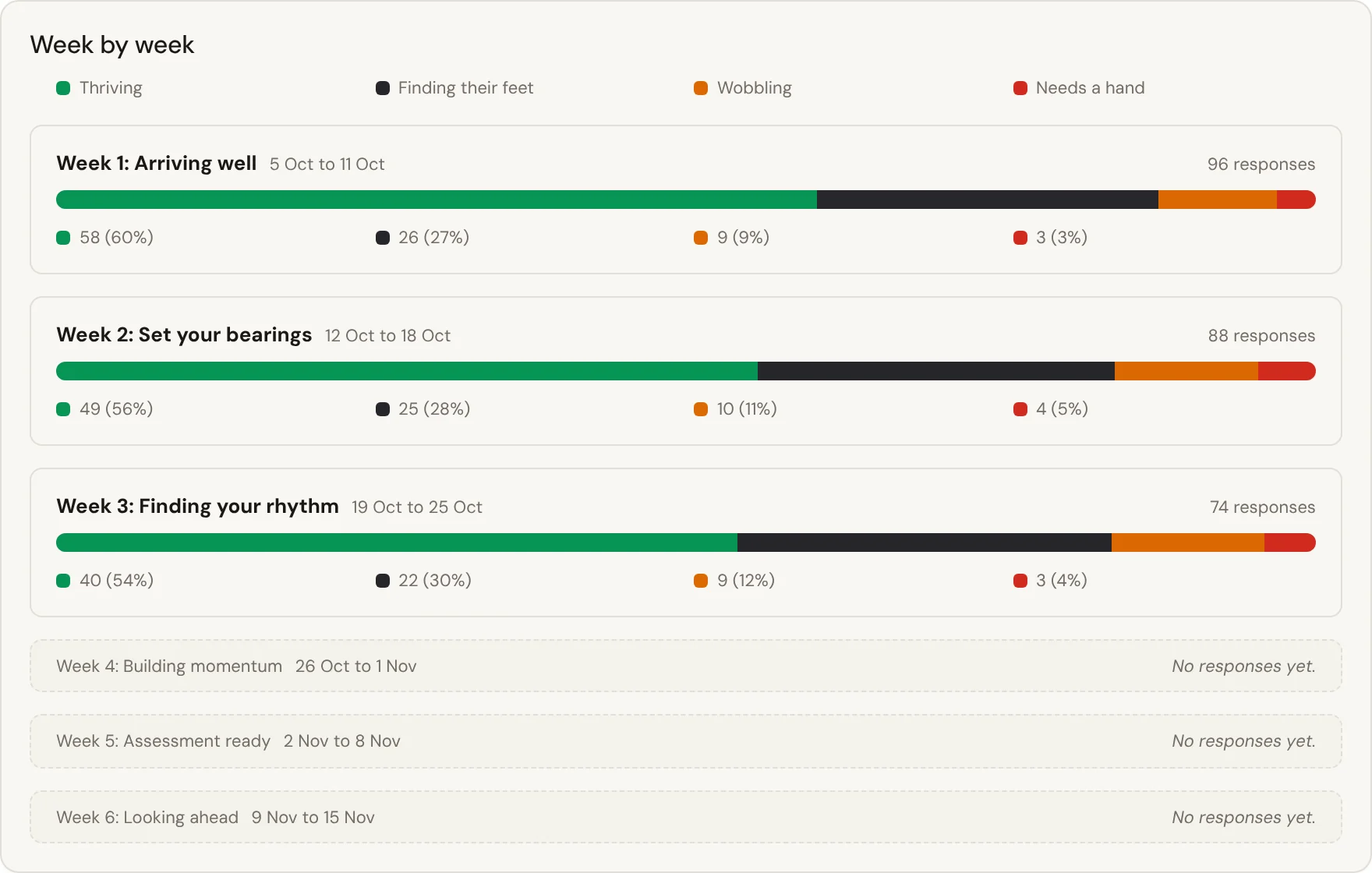
How your students are going, week by week, from their own check-ins, seen only by the staff you choose.
- Shows
- Groups, never names
- Privacy
- Permission-limited
- Answers
- Where to act
- Export
- PDF, CSV, evidence pack
Where to look this week
Shows which group or campus needs support. Following up with a named student happens elsewhere, on the record.
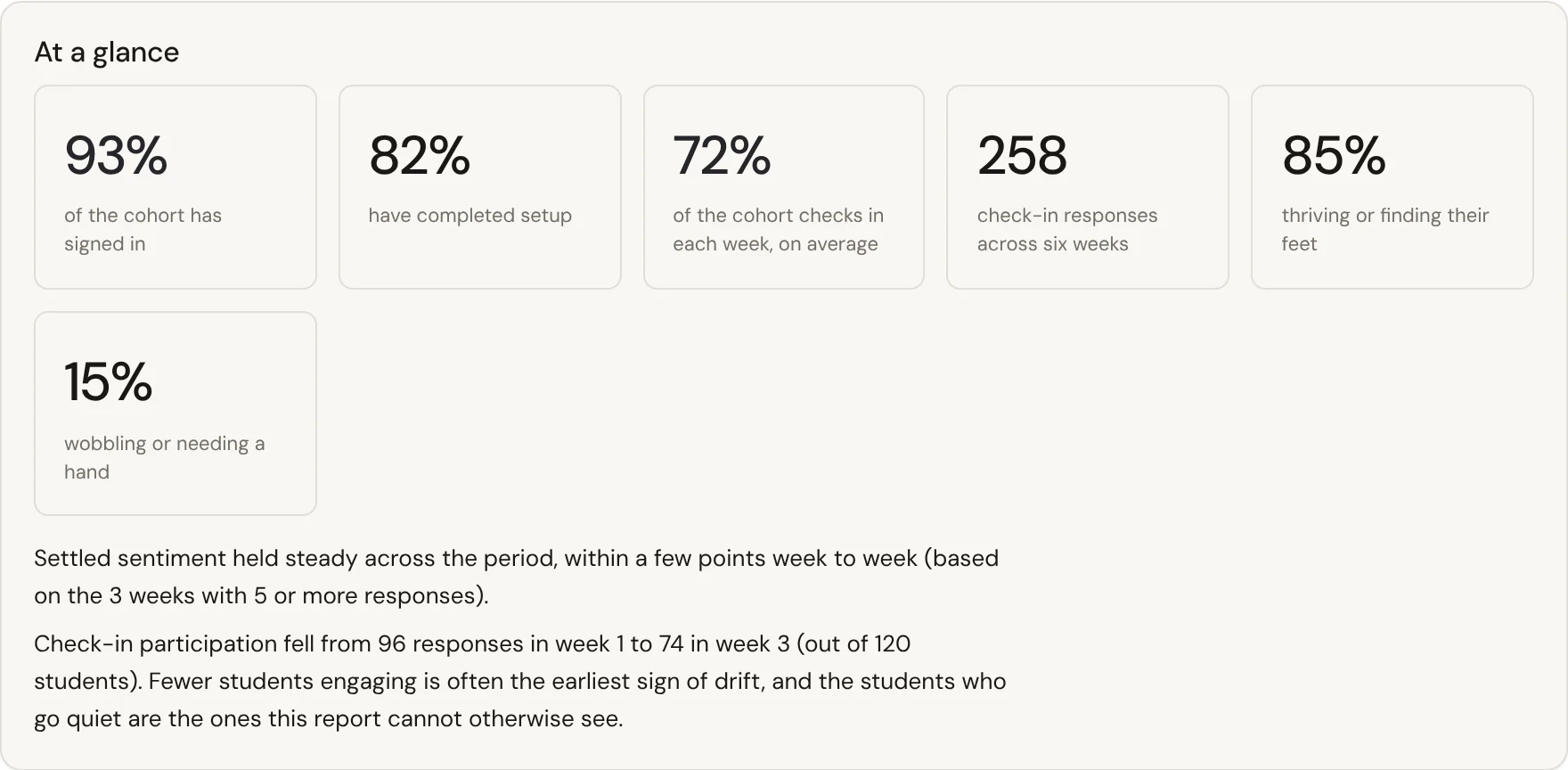
Insights rolls each week's check-ins into four bands, from thriving to asking for a hand, with how many students replied. It shows what's weighing on students and when each concern peaks, so you know where to put your attention. Figures name no one and only the staff you choose can see them. For reporting, a 90-day Support for Students evidence pack is ready to print. How to prepare the evidence pack.
From weekly answers to where to look
Check-in answers add up to a picture your team can act on, and no chart names a student.
Weekly check-ins roll up into four bands, with how many replied, and you can compare campuses or programs.
Only staff you give the insights permission see the figures, and no chart names a student.
You see where attention is needed this week and point your team and resources there.
Download the Morale report as a PDF, export morale as CSV, or print the 90-day evidence pack.
How students' answers are looked after

Seen by the staff who support them
Support staff can open a student's check-in answers to reach out. Every look is audit-logged.
Every look is recorded
Each time a staff member opens a student's record, it is written to a tamper-resistant audit log.
Never sold or mined
We do not sell or mine student data. Every subprocessor is disclosed, and the data of record is hosted in Australia.
Wellbeing figures stay with your team
Only staff with the insights permission see wellbeing figures, for the students they support. Nobody outside your team does, First Six included.
Fits what you already run
Your sign-in, no new passwords
Students and staff sign in with your identity provider over OpenID Connect, including Microsoft Entra ID. There is no new password.
Rosters that stay current
Import a roster CSV with no IT work, or push rosters and enrolments over HTTPS from any SIS.
Their own calendar
An iCal feed puts it into Apple, Google or Outlook and keeps itself up to date.
FAQs
Can't see your question? Ask us and we'll reply.
Can we drill down to an individual student?
Not from Insights, which has no drill-down to names. To follow up with a student, support staff use Needs attention or the cohort browser, where every open is audit-logged.
Who sees the figures?
Only staff your university gives the insights permission, each for the students they support. Documents downloaded from the console withhold groups under five.
What signals feed the insights?
Only what students answer: their weekly face, the optional reason behind a wobbling answer, and how many replied. Insights also shows sign-in and setup rates. It never reads clicks or page views.
Can we use this for our Support for Students Policy annual report?
Yes. The report is a printable 90-day pack of help delivered and the check-in picture, de-identified, with figures under five withheld, ready for your annual report.
Does this identify at-risk students?
Insights never names anyone. To find individuals, staff use the Needs attention list, which applies three published rules to check-in answers. There is no predictive risk score.
Keep exploring
Wellbeing check-ins
One question a week, so students can tell you early when things get hard.Proactive support
Reach the students who never raise their hand, and keep the trust that makes them answer honestly.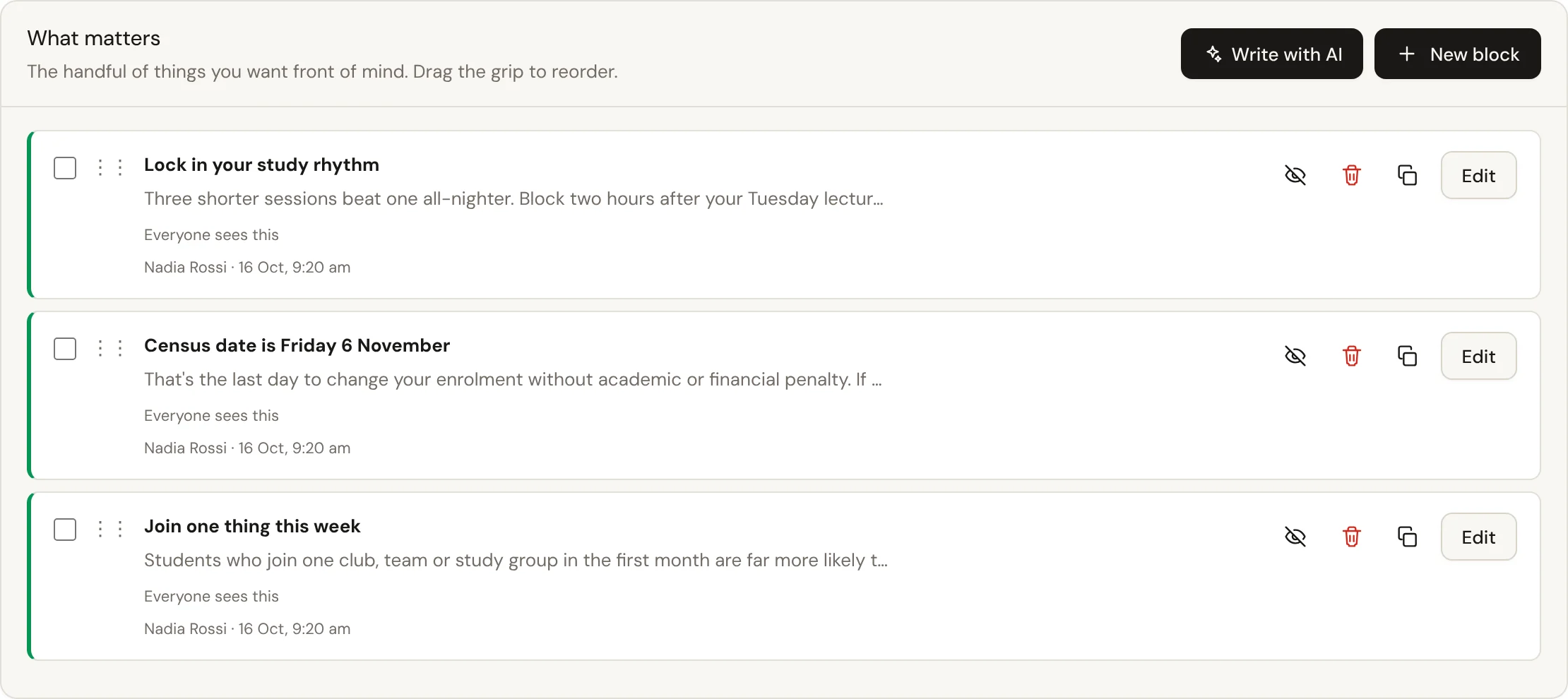
Writing assistant
AI that drafts weekly content, events and resources for your staff to check and publish. The student app has no AI.See the insights view
Explore how the figures look, and where the privacy lines are drawn.